

Glossary
Short definitions for readers of our HiBit Uninstaller guide. Use this page when a term appears in the blog or on the long home guide and you want a quick, plain-language meaning. hibit-uninstaller.org is independent and informational; vendors and Microsoft may use these words more narrowly in documentation.
Nothing here is legal or security advice. If you are unsure whether to delete a file or registry key, stop and research the exact path, or ask your IT team on managed PCs.
How to use this page: skim the letter you need, open linked blog posts for workflows, then return to the home guide for full context. Terms overlap—MSI touches “Windows Installer,” “installer cache,” and “grey uninstall button” topics all at once.

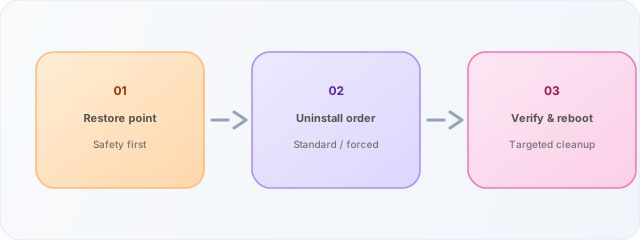
Visual shorthand for the four pillars we keep repeating: uninstall, leftovers, workflow, and the overall HiBit-oriented guide narrative—not a substitute for reading warnings on your PC.
A
AppX / MSIX (Store-style)
Package formats used for many Microsoft Store and sideloaded modern apps. Removal often goes through Settings, but data can linger in per-user package stores. See Store vs desktop.
Apps & Features
The Windows UI (Settings) listing of installed programs and optional features. When uninstall is greyed out, the underlying cause is often MSI or policy—not the button itself. MSI article.
B
Backup (file-level)
Copying documents, projects, and media to another drive or cloud account. Distinct from a restore point—backups protect your files when uninstall experiments go wrong.
BitLocker
Full-disk encryption for Windows. Safe Mode and recovery operations still require valid keys; uninstalling disk tools without vendor steps can leave inaccessible volumes.
C
COM registration
Component Object Model entries let Windows find DLLs and automation interfaces. Orphaned COM keys sometimes remain after incomplete uninstalls; cleaning them requires care to avoid breaking other apps. Related: reference hub.
D
Digital signature
Metadata attached to an executable that ties it to a publisher certificate. Helps confirm you downloaded the build you expected. See SmartScreen & Defender and download page.
E
Elevation
Running a process with administrator rights so it can modify system-wide locations. Most uninstallers need elevation to remove files under Program Files. Related: UAC.
F
Forced uninstall
Removing a program when the normal uninstaller fails or is missing—often by deleting files and cleaning registration data. Higher risk than a standard uninstall. Read the workflow.
G
Group Policy
Enterprise rules pushed to Windows PCs. May hide uninstall buttons, block installers, or force Store-only apps. If something is “managed by your organization,” consumer uninstall tricks may be blocked on purpose.
H
HKCU vs HKLM
Registry hives: HKCU (current user) vs HKLM (local machine). Per-user uninstall junk is often safer to prune than machine-wide keys shared by every account. Always export backups before edits. Registry (caution).
L
Leftover
Files, folders, services, scheduled tasks, or registry entries that remain after a program is removed. Cleanup tools scan common locations; aggressive deletion can break unrelated software. See leftover scan and troubleshooting.
M
Microsoft Store vs Win32
Store apps use Store packaging and differ from classic desktop installers. Uninstall paths and leftovers vary. Store vs desktop.
MSI (Windows Installer)
Installer format used by many apps. Logs and repair flows help when Uninstall is greyed out. MSI errors article.
P
Portable vs installer
Portable builds run from a folder; installers register with Windows and add shortcuts. Trade-offs include updates and permissions. Comparison article · Download.
Program Files
Default directories where 64-bit and 32-bit applications install. Most legitimate uninstallers remove their subtree here; manual deletes can orphan services still registered elsewhere.
R
Registry (caution)
Central configuration database for Windows and apps. Manual edits can destabilize the system; export a backup first. Prefer vendor uninstallers or documented cleanup steps.
Restore point
A snapshot Windows can roll back to before risky changes. Useful before forced uninstalls—not a full document backup. Extended glossary on home.
S
Safe Mode
Minimal Windows startup that loads fewer drivers and services. Helps when a process blocks uninstall. Safe Mode workflow.
SmartScreen
Reputation-based warnings for downloads and run prompts—not the same as a malware verdict. SmartScreen & Defender.
Startup entries
Programs and tasks that launch at boot or sign-in. Disable obsolete entries carefully—vendor tools may look unfamiliar. Startup hygiene.
T
Task Scheduler
Windows component that launches tasks on timers or events. Many updaters and telemetry jobs live here; leftover scans may flag tasks pointing at deleted EXEs. Startup hygiene.
U
UAC
User Account Control prompts for elevation before system-wide changes. Many uninstallers need admin approval to remove files under Program Files.
W
WinSxS (Side-by-Side)
Windows component store area holding multiple library versions for compatibility. Not a normal uninstall target—manual deletes here can break servicing and updates. If a leftover scan points inside WinSxS, research carefully before acting.
Windows Installer cache
Cached MSI files used for repairs and uninstalls. Missing cached packages can grey out uninstall until repaired. MSI errors article.